Own A Grocery Store Own A Market patch tracker
What shipped, how to read the Roblox game page, and what to check after every update.
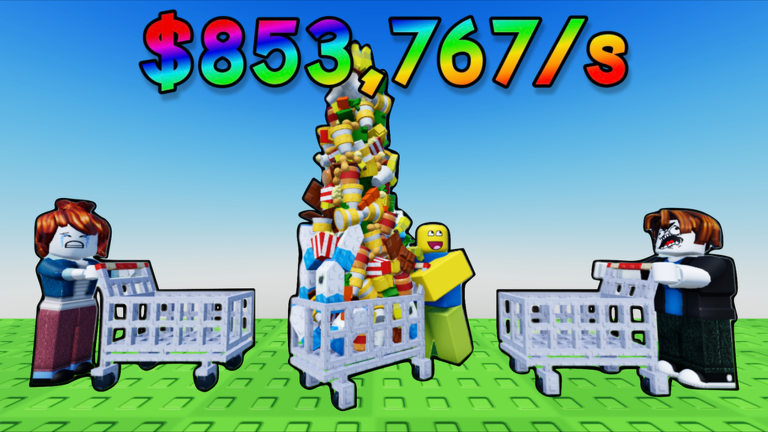
Own A Market (wiki: Own A Grocery Store) does not publish a long Steam-style patch blog. You track changes on the Roblox experience page, the in-game title, and this hub. The game launched on 16 January 2026 as a tycoon/sim from dev-devs, passed about 30 million visits, and still uses six-player servers with offline earnings and a rebirth that goldifies products.
This Updates Hub summarizes the known live state, not a rumor mill. After any patch, walk your plot, then check codes, scripts, and the rebirth planner because costs and tools break first.
Known live state
The experience title has carried Contracts branding ([📝Contracts] Own A Market on some trackers). Treat that as the current season/label on the listing, not a separate game. The loop is still stock, hire, expand, rebirth.
Market 2 / Grocery Store 2 is the major content beat after launch. It is a second grocery plot unlocked from the Markets icon for $30,000, with wheat, bread, seafood, and related products. It does not replace store 1. If a patch adds pads there, the unlock store 2 guide is the place we will note new gates.
Roblox listed the experience as updated 26 August 2026. That is the last major dated update we are treating as the current baseline: Market 2 content in the wild, Contracts-era title, same rebirth/offline rules. Smaller silent tweaks can happen without a wiki headline.
Still true after that date, unless you see otherwise in-game:
- Rebirth goldifies products and resets money plus pad progress.
- Grocery Store 2 costs $30,000 from the Markets icon.
- Offline earnings work once the market is producing.
- Server size is 6; VIP servers are free and exist to dodge lag.
- Daily rewards and Gifts are the live freebies.
- Like the game and join the group for free cash.
- No promo codes yet.
How to track patch notes
Official notes are thin. Use this order:
- Open the Roblox game page and read the Updated date plus the description. New bullets (VIP, group cash, rebirth, Market 2) show up there first.
- Join a server and look at the title screen / HUD. Contracts labeling and new icons appear before fan wikis notice.
- Walk store 1 and, if owned, store 2 for new green pads, changed prices, or extra Upgrade rows (animals, workers, self).
- Open the Rebirth icon and write down the current cash requirement. First rebirth has commonly been about $50,000 for a ~25% goldify; later tiers cost more. If that number jumps, the Rebirth guide and planner go stale until we match in-game.
- Only then hunt codes. A codes button would be a real patch, not a rumor.
There is no public Trello we treat as canonical. Discord rumors are optional; this wiki follows the live place 117090463954607.
What to check after every update
Run this five-minute audit so you do not rebuild on old advice:
- Codes —Codes Hub. Still none unless a redemption UI shipped.
- Scripts —Scripts Hub, auto-collect, auto-farm. Updates break injectors; do not assume last week’s script still matches the new pads.
- Rebirth cost and goldify text — compare with the rebirth planner and Rebirth guide.
- Store 2 price and products — confirm $30,000 and the wheat/bread/seafood line on unlock store 2.
- Product and upgrade ranking —Tier List Hub, products, upgrades. A new machine can shuffle early buys.
- Controls — new HUD icons belong on controls and UI.
- Floor 2 — upstairs pad prices and specialties on Floor 2.
- Daily rewards — claim timing and Gift overlap on daily rewards.
- Gamepasses — Shop prices and VIP versus free VIP servers on gamepasses.
- Badges — Finished Market [1], Rebirthed, and ??? on badges.
- Money route —Make Money Fast and Getting Started if the first pads changed.
The Guides Hub and Players Hub stay valid as long as the loop is pads plus rebirth. If dev-devs ever adds a third market or a real code system, those hubs will link the new pages from here.
Until the Roblox Updated stamp moves again, assume August 2026 rules: two grocery stores, goldify rebirth, offline pay, six-player plots, free VIP, dailies, no codes. Play the floor you have, not the patch you hope for.
Frequently Asked Questions
Quick answers for Own A Grocery Store on Roblox.
When did Own A Market last update?
The Roblox listing showed a 26 August 2026 update as the last major dated patch. Always re-check the live game page; silent tweaks can land without a blog post.
What is the Contracts tag on the title?
Branding on the live listing, not a different place ID. You still play Own A Market with store 1, store 2, and rebirth.
Did Market 2 come with promo codes?
No. Store 2 is a $30,000 unlock. Codes remain absent—see the codes page after future patches.
Where should I look for official patch notes?
The [Own A Market Roblox page](https://www.roblox.com/games/117090463954607/Own-A-Market) description and Updated date. Then walk pads in-game and use this hub’s checklist.
What breaks most often after a patch?
Script injectors, rebirth prices, and early-game pad order. Recheck scripts, the rebirth planner, and the tier lists.